Pay in installments of $5.46 with
 ,
,
 and
and

Shipping Estimate
USA
- USA
- CAN
- USA
- CAN
Ships within 48 hours · Estimated delivery Oct 11 - Oct 16
 Promo Codes Available:
For Your Every Summer RSVP, with Code: SUMMER15
Description
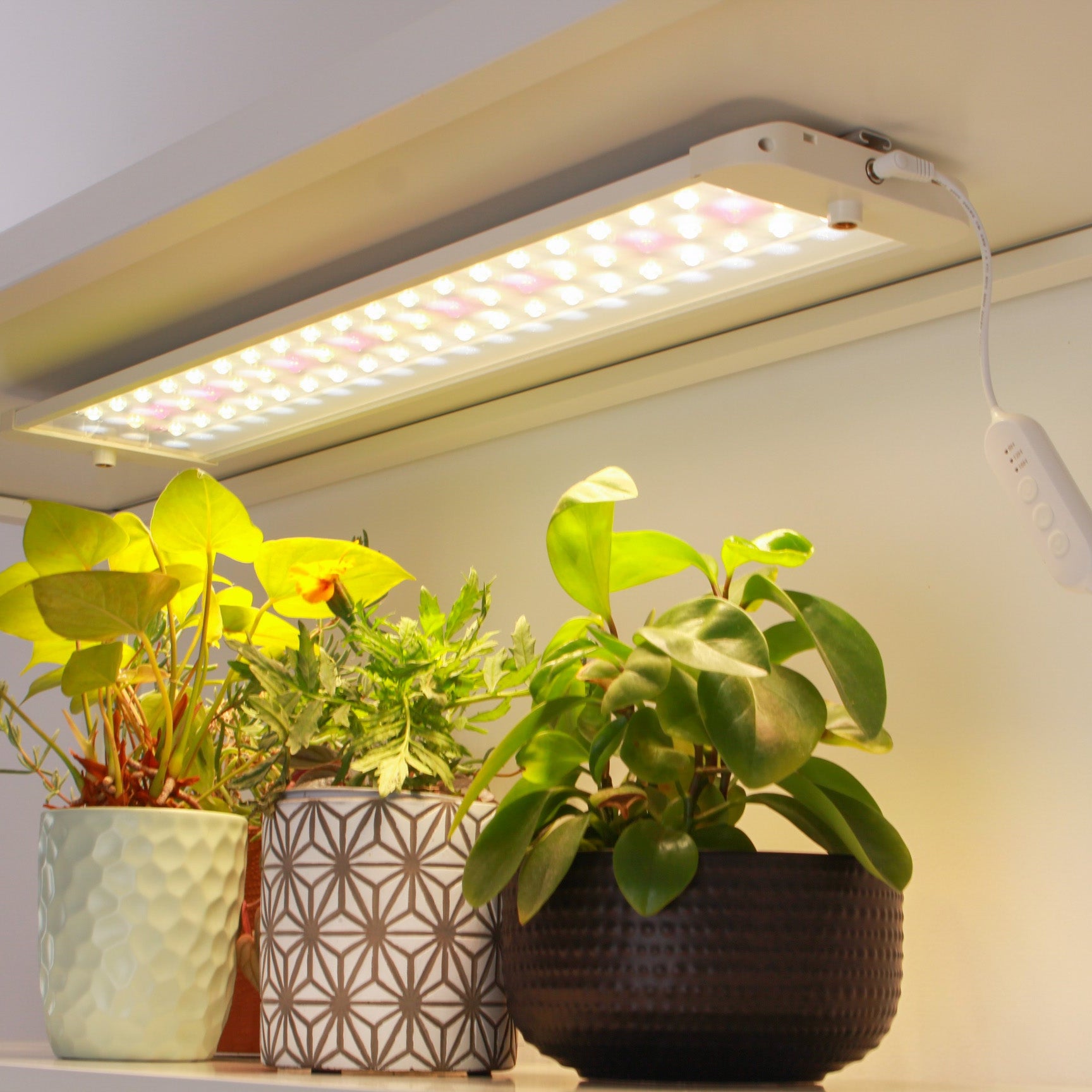
can white led lights grow plants Shelf Light Panels | Full Spectrum LED grow lightsdescription the sun panel a full spectrum grow light for seedlings and indoor plants the sun panel is a full spectrum led grow light for the plants that aren't getting enough sun. Raise seedlings, keep herbs and leafy greens happy, and give your indoor plants the light they're missing, even in a room that barely sees daylight. Each diode sits behind its own lens, which doubles the usable light and focuses it down onto your plants instead of scattering
description
the sun panel | a full spectrum grow light for seedlings and indoor plants
the sun panel is a full spectrum led grow light for the plants that aren't getting enough sun. Raise seedlings, keep herbs and leafy greens happy, and give your indoor plants the light they're missing, even in a room that barely sees daylight.
Each diode sits behind its own lens, which doubles the usable light and focuses it down onto your plants instead of scattering it around the room. Adjust the brightness and the timer to match whatever you're growing, from the first seedling to a full, leafy shelf.
the kind of light plants thrive in
Plants grow best in light that behaves like the sun, and that's what the sun panel gives them. It covers the wavelengths they use to photosynthesise, so leaves come in greener, growth is stronger, and seedlings stop sitting around waiting for better weather. And because it's a warm, natural white rather than the harsh purple glow of older grow lights, it suits a room you actually live in.
raise sturdy seedlings, keep houseplants happy
Seedlings stretch and turn leggy when they're reaching for light. the sun panel gives them steady, even light from day one, so you get strong stems and roots instead. For established houseplants, it's an easy boost that keeps foliage full and healthy through the darker months.
exactly the light they need, without the guesswork
Every plant wants a different amount of light, and what it wants changes as it grows. the sun panel lets you give each one exactly the right exposure: turn the brightness up or down to suit the plant and its stage, then set the timer and leave it. Your plants get steady, consistent light every day, even when you're away, so they grow healthy without you having to think about it.
one system, one plug
the sun panel runs on the same 24V system as the rest of the sun series, so panels, basins and accessories all work together. One plug powers a single panel, or a full set of three. And if a part ever fails, you replace that part, not the whole light.
lighting specs
Good to know: the panels are white. Our earlier versions were black, so if you've seen those before, don't let it throw you.
- Controller settings8h on / 16h off, 12h on / 12h off, 16h on / 8h off
- Brightness settings100%, 80%, 60%, 40%, 20%
- Light spectrum660nm, 3000K, 4000K
- Output2,000 lumens
- Voltage24V
- Wattage24W per panel
- Beam angle120 degrees
- IP ratingIP20
- Operating temperature-10°C to +40°C
- Lifespan25,000 hours
Photosynthetic photon flux density (PPFD)
- 5cm: 850 µmol/m²/s
- 10cm: 540 µmol/m²/s
- 20cm: 290 µmol/m²/s
- 30cm: 200 µmol/m²/s
what's included
the sun panel comes with everything you need to get growing.
single panel set
- 1 × sun panel (605 × 134 × 20mm)
- 1 × light controller
- 1 × power adaptor
- 1 × instruction manual
- mounting clips
triple panel set
- 3 × sun panels
- 3 × light controllers (one for each panel)
- 1 × main wire, so all three panels connect to a single power adaptor
- 1 × power adaptor (one adaptor powers all three panels)
- 1 × instruction manual
- mounting clips
heirloom basin (per unit)
- lid and basin set
- 1 × water aeration pump
- 1 × water level indicator
- 18 × gathera antibacterial, food-grade net cups with integrated algae guards
- 18 × rockwool cubes
- hydroponic nutrients
- 1 × hydroponic growing instruction manual
setup
the sun panel mounts with a metal rail, so you can fit it to a shelf you already own.
setting up with the stick-on metal rail
- Prepare the surface you're attaching the panel to. Wipe it clean to remove any debris that could stop the adhesive sticking, then let it dry.
- Peel the adhesive backing off the tape on the metal rail.
- Position the rail with the tape against the surface, then press it on firmly.
- Hold it in place for 30 seconds to get the best adhesion.
- Use the mounting points on the panel to slide it into the groove of the rail.
- Connect the electronics as described in the manual, and you're up and running.
setting up with the screw-in clips
- Mark where you'd like your first clip, then screw it into your shelf.
- To place the second clip accurately, slot the panel into the first clip using its mounting point. Move the panel to show where the second clip should sit (it lines up with the second mounting point), mark the spot with a pencil, then move the panel aside and screw in the second clip.
- Connect the electronics as described in the manual, and you're up and running.
Shipping Notes
- Free Standard Shipping on $100+ Orders to the USA.
- Except Preorder products are shipped in 48 hours.
- Delivery to the USA:
- Standard Shipping : 3-10 business days
- If time is of the essence, please consider selecting expedited delivery for faster service.
Exchange/Return Notes
- We offer a 30-day return/exchange service after receiving.
- Final sale items are not eligible for returns or exchanges.
- To process your return/exchange, please contact us at [email protected]
- Please click here for more details>>> Return & Exchange Policy