SKU: 68507903907
zebra plant succulent flower care

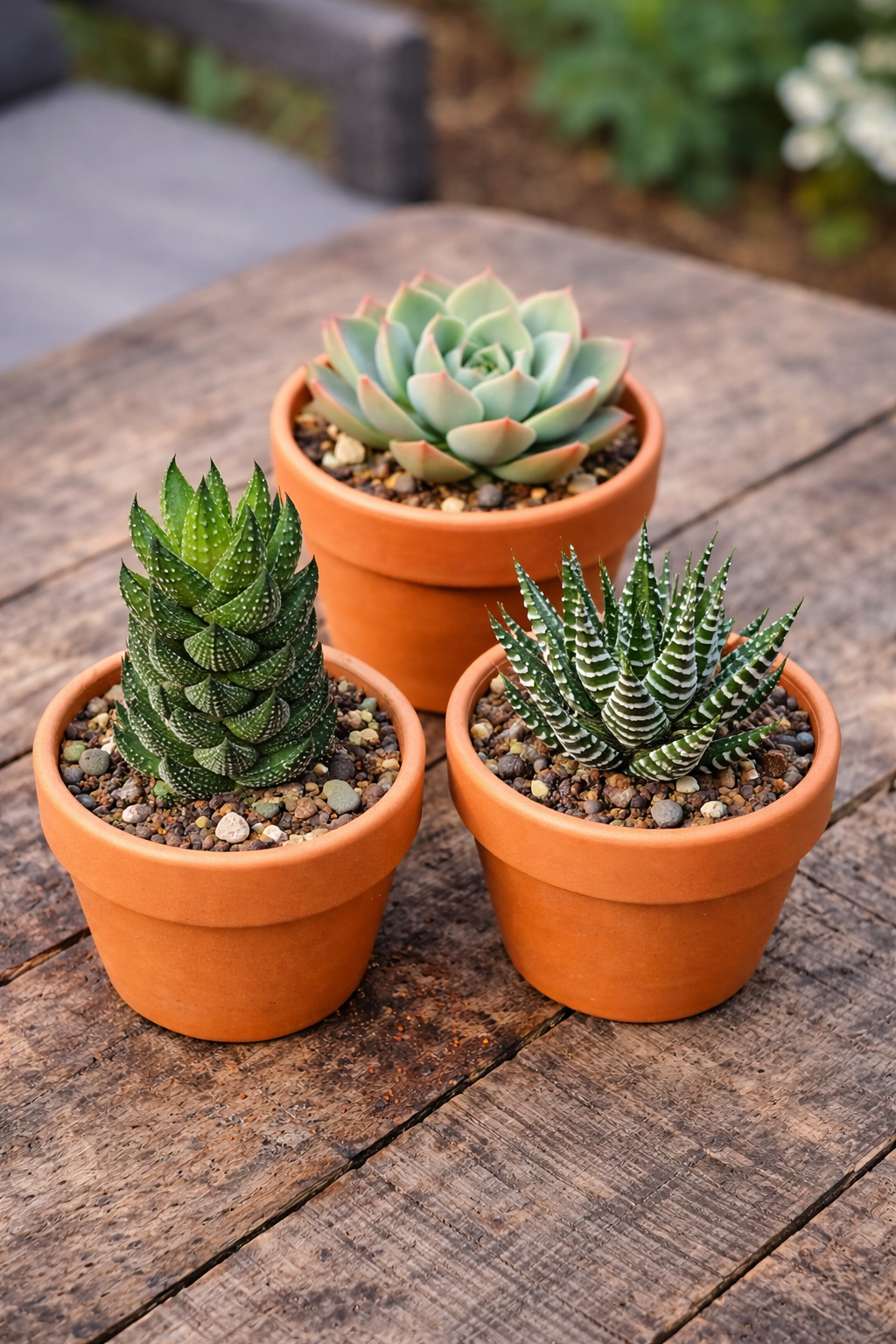
zebra plant succulent flower care Zebra Plant (Haworthia fasciata) | 4” Pot Indoor Succulent, Low Water Plant

Sale price$19.66 Regular price$21.84
Save 10%

Pay in installments of $5.46 with ShopPay, AfterPay and Klarna

Shipping Estimate
USA
  • USA
  • CAN

Ships within 48 hours · Estimated delivery Aug 16 - Aug 21

Promo Codes Available:

For Your Every Summer RSVP, with Code: SUMMER15

Description

zebra plant succulent flower care Zebra Plant (Haworthia fasciata) | 4” Pot Indoor Succulent, Low Water PlantThe Zebra Plant (Haworthia fasciata) is one of the most popular low maintenance succulents for indoor plant lovers and for good reason. This compact beauty features deep green leaves with bold white striping (its signature zebra pattern), making it a perfect statement plant for desks, shelves, windowsills, and small spaces. This hardy succulent thrives in bright, indirect sunlight and only needs watering once the soil is almost completely dry, making

The Zebra Plant (Haworthia fasciata) is one of the most popular low-maintenance succulents for indoor plant lovers — and for good reason. This compact beauty features deep green leaves with bold white striping (its signature “zebra” pattern), making it a perfect statement plant for desks, shelves, windowsills, and small spaces.

This hardy succulent thrives in bright, indirect sunlight and only needs watering once the soil is almost completely dry, making it ideal for beginners, busy plant parents, and anyone who wants a stylish plant without the stress.


🌵 Key Features

  • Plant Name: Zebra Plant (Haworthia fasciata)
  • Pot Size: 4” Nursery Pot
  • Plant Type: Indoor Succulent
  • Light Needs: Bright, indirect sunlight
  • Water Needs: Low
  • Growth Habit: Compact rosette with striped leaves
  • Best For: Indoor décor, beginner plant owners, office desks, succulent collections

🌱 Care Instructions

Light

  • Keep in indirect sunlight
  • Avoid harsh direct sun which can scorch leaves

Water

  • Water when the soil is almost dry
  • Water deeply, then allow the soil to dry out again
  • Never let it sit in standing water

Soil

  • Use cactus/succulent soil with excellent drainage
  • Pot must have drainage holes

Temperature

  • Prefers warm indoor temperatures
  • Protect from frost and cold drafts

🌿 Why You’ll Love It

  • Very beginner-friendly
  • Gorgeous striped “zebra” pattern
  • Low water needs
  • Perfect size for gifting or indoor styling
Shipping Notes
  • Free Standard Shipping on $100+ Orders to the USA.
  • Except Preorder products are shipped in 48 hours.
  • Delivery to the USA:
  1. Standard Shipping : 3-10 business days
  • If time is of the essence, please consider selecting expedited delivery for faster service.
Exchange/Return Notes
  • We offer a 30-day return/exchange service after receiving.
  • Final sale items are not eligible for returns or exchanges.
  • To process your return/exchange, please contact us at [email protected]
  • Please click here for more details>>> Return & Exchange Policy
SKU: 68507903907

Discover Niche Categories That Outsell zebra plant succulent flower care

Top-Converting Item to Boost Your Average Order

4.1 ★★★★★
Based on 14 reviews
Sort
Highest Rating
Newest First
Oldest First
Product Reviews
N
Verified Purchase
Nathan Mcnealy
Alexandria, US
★★★★★ 5
Run out of ink quickly
Style: Ink
When you have the Epson work Workforce Pro 3820 it only accepts Epson cartridges none of the cheaper ones Epson cartridges run out of ink really fast I actually had some of the non-epson brand cartridges in there they worked a couple of times but then one day they absolutely refuse to work so they're worthless and then I had to actually buy the Epson brand name
WAS THIS REVIEW HELPFUL?YesReportShare
Reviewed in the United States on April 2, 2026
S
Verified Purchase
Sheynnb
West Palm Beach, US
★★★★★ 5
Works Well
Style: Ink
Perfect replacement. Good quality, acceptable value.
WAS THIS REVIEW HELPFUL?YesReportShare
Reviewed in the United States on March 23, 2026
F
Verified Purchase
FF
San Leandro, US
★★★★★ 5
Good value!
Style: Ink
Received in a timely manner. Installed with ease. Only printed a few pages but all is good so far. Price is more than I would like but very competitive and attractive compared to local office supply stores.
WAS THIS REVIEW HELPFUL?YesReportShare
Reviewed in the United States on April 16, 2026
J
Verified Purchase
Jason K.
Lake Worth, US
★★★★★ 5
Very Straightforward and Easy to Use
Reload type: One Time Reload
I have used this several times, and it has always been a smooth and convenient experience. The biggest advantage is how intuitive the process is. Reloading the balance is simple, quick, and easy to understand without unnecessary steps or confusion. It is especially useful for managing spending, setting a shopping budget, or keeping funds ready for future purchases. Instead of entering payment details every time, having balance available makes checkout faster and more convenient. I also appreciate how quickly the funds are applied, allowing immediate use once the reload is completed. This is one of those simple Amazon features that works exactly the way it should. Overall, easy, efficient, and user-friendly. I have been very satisfied with it. Five stars.
WAS THIS REVIEW HELPFUL?YesReportShare
Reviewed in the United States on April 21, 2026
M
Verified Purchase
Martini81
Lowell, US
★★★★★ 5
Easy and simple: Exact Step-by-Step Guide to Reloading Your Balance
Reload type: One Time Reload
I found reloading my Amazon gift card balance much easier than expected. The process was simple and took about 5 minutes at most. Here are the exact steps to do it: ​Login: In the Amazon app or on Amazon.com, log in to your account. ​ Menu: Tap the 3 lines on the bottom right corner of your screen (next to Rufus, Amazon's AI). ​ Find Category: In the section highlighted "Shop by category," tap on Gifting & Registry (3rd option down in that section) and a drop-down menu will appear. ​ Select Gift Cards: On the drop-down menu, tap Gift Cards (first option). ​ Choose Your Action: "The Gift Card Shop" will appear. There you will have three options: "Redeem a gift card," "View your balance," and "Reload." ​ Start Reload: To add funds, tap Reload. ​ Select Type: Scroll down to "Add funds directly to your Amazon Gift Card balance" and tap which reload type you want (one-time, low balance auto-reload, or scheduled auto-reload). ​ Enter Amount: Choose your reload amount. The default is $25, but you can type in your own amount as well (the minimum amount is $5.00). ​ Finish: Tap the orange "Buy Now" tab. ***I used the Amazon app using the u i OneUI version 8.0 these Amazon app on Android version 16 (Baklava) on a Samsung Galaxy S25 Ultra. Others may have a slight variation of the menu setup on the Amazon app.***
WAS THIS REVIEW HELPFUL?YesReportShare
Reviewed in the United States on April 22, 2026

recommand products