Shipping Estimate
USA
- USA
- CAN
- USA
- CAN
Ships within 48 hours · Estimated delivery Jul 7 - Jul 12
 Promo Codes Available:
For Your Every Summer RSVP, with Code: SUMMER15
Description
aloe vera plant edible Buy Aloe Vera Yellow Phoenix, AZ | Aloe barbadensisPhoenix's Classic Medicinal Aloe With Sunny Yellow Blooms Aloe vera (Aloe barbadensis) yellow flowering variety is the iconic medicinal aloe that thrives effortlessly across the Phoenix Valley. This fast growing succulent forms large rosettes of thick, gel filled leaves used for centuries to soothe burns and nourish skin, while producing cheerful yellow flower spikes that brighten the winter and spring landscape. Whether you're starting a medicinal
Phoenix's Classic Medicinal Aloe With Sunny Yellow Blooms
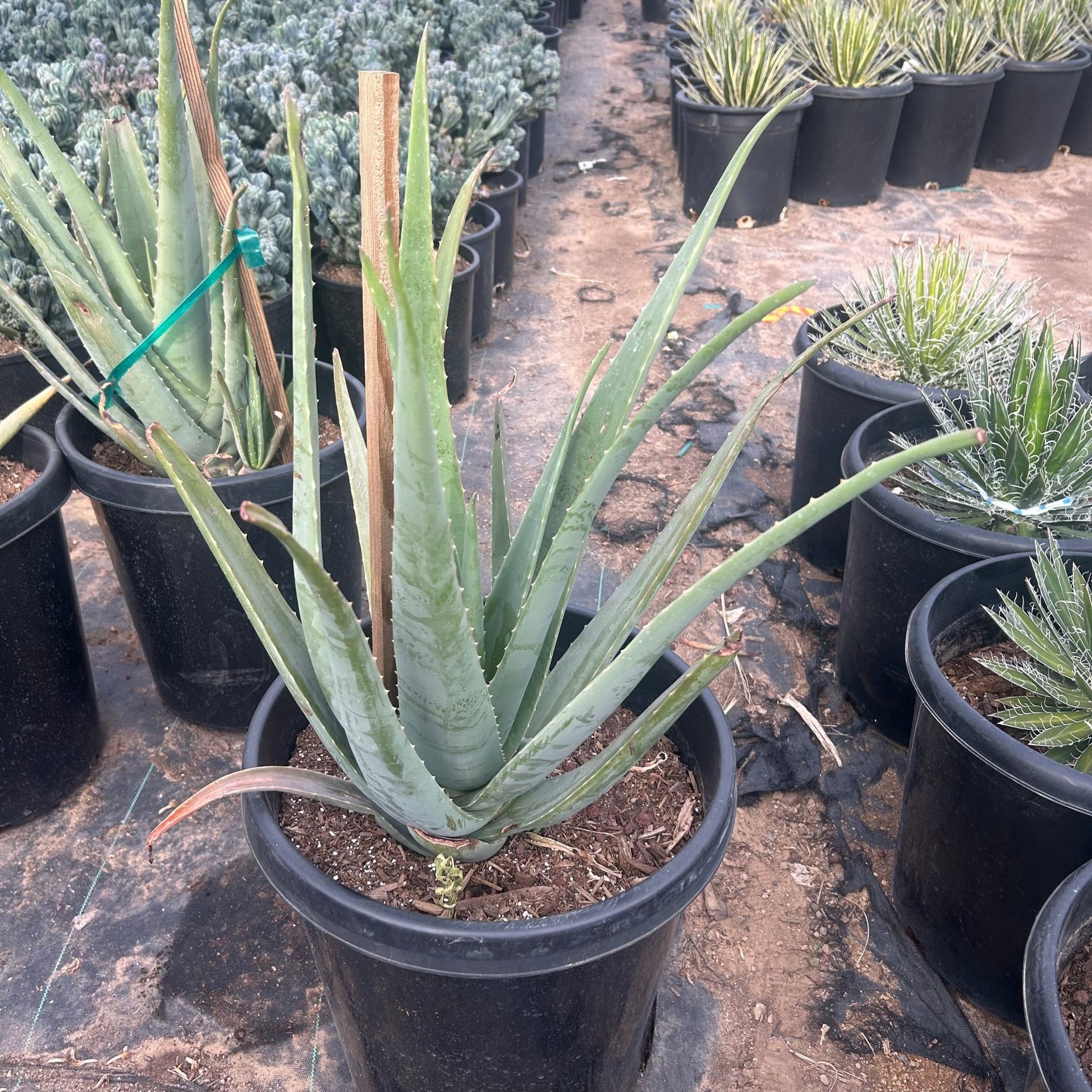
Aloe vera (Aloe barbadensis) — yellow flowering variety — is the iconic medicinal aloe that thrives effortlessly across the Phoenix Valley. This fast-growing succulent forms large rosettes of thick, gel-filled leaves used for centuries to soothe burns and nourish skin, while producing cheerful yellow flower spikes that brighten the winter and spring landscape. Whether you're starting a medicinal herb garden in Scottsdale, filling a sunny border in Tempe, or creating a drought-tolerant mass planting in Gilbert — yellow Aloe Vera is one of the easiest, most rewarding desert plants you can grow.
Aloe Vera (Yellow) Plant Details
| Attribute | Detail |
|---|---|
| Scientific Name | Aloe barbadensis (Aloe vera) |
| Common Names | Aloe Vera, Medicinal Aloe, Yellow Aloe Vera |
| Mature Height | 1–2 feet |
| Mature Width | 2–3 feet |
| Growth Rate | Fast — fills in quickly in Phoenix's warm climate |
| Sun | Full sun to partial shade. Handles reflected heat. |
| Water | Low once established. Highly drought-tolerant. |
| USDA Zones | 9–11 (Phoenix is Zone 9b–10a) |
| Soil | Well-draining. Adapts to Arizona caliche soils. |
| Foliage | Evergreen — thick, gel-filled leaves year-round |
| Bloom Color | Yellow flower spikes, winter to spring |
| Special Feature | Medicinal gel — soothing for burns and skin care |
Aloe Vera (Yellow) Uses in Phoenix Landscapes
Medicinal & Herb Gardens
Yellow Aloe Vera is the must-have plant for any medicinal garden in the Phoenix area. Keep it near your kitchen or patio door for instant access to fresh soothing gel whenever you need it for sunburn, minor burns, or skin irritation. It pairs beautifully with rosemary, lavender, and other useful desert herbs.
Mass Plantings & Ground Cover
With its fast growth and prolific pup production, yellow Aloe Vera makes a fantastic living ground cover for sunny slopes, median strips, and large landscape beds. Space plants 2–3 feet apart and they'll fill in within a season. When the yellow flower spikes emerge in winter, the effect across a mass planting is spectacular — neighborhoods in Chandler, Mesa, and Peoria use this technique to great effect.
Pool-Friendly & Foundation Plantings
Aloe Vera's clean rosette form and lack of sharp spines make it ideal around pools, patios, and along foundation walls. It tolerates splash-out chlorine, won't drop messy leaves, and stays evergreen year-round. The sunny yellow blooms add warmth to any outdoor living space.
Container Gardens
Yellow Aloe Vera thrives in containers on patios, balconies, and porches throughout the Valley. Use a well-draining cactus mix in a pot with drainage holes. Containers make it easy to share pups with friends and neighbors — this is one of the most generous plants in the desert.
Best Time to Plant Aloe Vera in Phoenix
Fall (October–November) is the ideal window — warm soil encourages rapid root growth while cooler air reduces transplant stress, giving the plant 6–8 months of establishment before summer. Spring (February–April) is the second-best option. Aloe Vera is tough enough to plant almost year-round in Phoenix, but avoid the peak summer months (June–August) if possible.
How to Plant Aloe Vera
- Dig wide, not deep — 2–3x the root ball width, same depth as the container.
- Check for caliche — break through any hardpan layer for good drainage.
- Backfill with native soil — Aloe Vera is not fussy; a light 20% perlite blend improves drainage.
- Spacing — 2–3 feet apart for mass plantings; 3 feet for individual specimens.
- Water basin — build a 3–4 inch ring to direct water to roots during establishment.
- Mulch — 2–3 inches of gravel or decomposed granite around the base.
Watering Aloe Vera in Phoenix
First Year Watering Schedule
Weeks 1–2: Every 2–3 days, deep and slow. Month 1–2: Every 3–4 days. Month 3–6: Every 7–10 days (every 5–7 days in peak summer). After Year 1: Every 10–14 days in summer; every 3–4 weeks in winter. Aloe Vera stores water in its thick leaves — overwatering is the most common mistake.
Drip Irrigation
Place one 1-GPH emitter 8–12 inches from the base. Run for 20–30 minutes per session. Established plants are remarkably drought-tolerant and may only need supplemental water every 2–3 weeks in summer.
How fast does yellow Aloe Vera grow in Phoenix?
Very fast. A 1-gallon plant can reach its full 2–3 foot spread within 1–2 years in the ground, and it produces abundant pups (offsets) that can be divided and replanted.
What's the difference between yellow and orange Aloe Vera?
The yellow and orange varieties are the same species (Aloe barbadensis) with different flower colors. Growth habit, size, medicinal properties, and care are identical — choose whichever bloom color you prefer.
Is the gel in yellow Aloe Vera the same as regular Aloe Vera?
Yes. The thick, clear gel inside the leaves has the same soothing, moisturizing properties regardless of flower color. Simply slice a mature outer leaf and apply the gel to minor burns, sunburn, or irritated skin.
Does Aloe Vera spread on its own?
Yes — Aloe Vera produces abundant offsets (pups) around the base of the mother plant. These can be left to form a colony or divided and replanted elsewhere. It's one of the easiest plants to propagate and share.
You May Also Like
Aloe vera - orange — The orange-flowering version of the same classic medicinal aloe.
Aloe Hybrid — A variegated hybrid aloe with colorful spotted rosettes and vibrant blooms.
Aloe humilis — A compact clustering aloe perfect for rock gardens and small spaces.
Aloe Banseii — A tree-forming aloe that adds dramatic height to succulent gardens.
How Many Aloe Vera Do I Need?
Yellow Aloe Vera is a fast, clumping rosette 2 to 3 feet wide that pups freely, so it reads as a living groundcover when planted in drifts. Use roughly 30-inch spacing (center to center) for solid coverage. Plant the table counts below, then let the pups knit the gaps closed within a season.
| Area to cover | Plants needed (30 in spacing) |
|---|---|
| 25 sq ft | 4 plants |
| 50 sq ft | 8 plants |
| 100 sq ft | 16 plants |
| 200 sq ft | 32 plants |
For a single accent or container specimen, one plant is plenty: it will form its own colony over time.
Aloe Vera (Yellow) Season-by-Season in Phoenix
- Spring (Feb to Apr): Tail end of the yellow bloom spikes, with a strong flush of new leaves and pups as soil warms. Excellent second planting window.
- Summer (May to Sep): Takes full Valley heat and reflected heat in stride. Growth slows at the hottest peak. Monsoon humidity is fine as long as the soil drains: avoid standing water.
- Fall (Oct to Nov): Prime planting season. Roots establish fast in warm soil ahead of the cool months.
- Winter (Dec to Jan): Cheerful yellow flower spikes rise above the rosettes. Aloe Vera is lightly frost-tender: leaf tips can scorch below about 28 to 30°F. In a hard Valley frost, cover the plants overnight or site them under eaves or a canopy.
At a Glance
✔ Hummingbird-Friendly ✔ Pollinator-Friendly ✔ Heat-Loving (Reflected-Heat Tolerant) ✔ Drought-Tolerant ✔ Pool-Friendly (Low-Litter) ✔ Spineless ✔ Evergreen ✔ Low-Maintenance ✔ Deer & Rabbit-Resistant
Plant It With
- Aloe vera - orange: The orange-blooming twin, for a two-tone medicinal aloe drift.
- Aloe Hybrid: Spotted, colorful rosettes that add pattern next to the clean green leaves.
- Aloe humilis: A compact clumping aloe that fills the front edge of the bed.
- Aloe Banseii: A taller tree-forming aloe for height behind the mass planting.
Is Aloe Vera (Yellow) Right for Your Yard?
Yes if you have full sun to light shade, fast-draining or amended caliche soil, and want an easy, useful, spineless succulent that is safe beside pools, walkways, and play areas. It shrugs off heat and drought and shares pups generously. Not the best fit if your spot stays wet or poorly drained, or if it sits in an unprotected frost pocket where temperatures regularly drop below the upper 20s without any cover.
Shipping Notes
- Free Standard Shipping on $100+ Orders to the USA.
- Except Preorder products are shipped in 48 hours.
- Delivery to the USA:
- Standard Shipping : 3-10 business days
- If time is of the essence, please consider selecting expedited delivery for faster service.
Exchange/Return Notes
- We offer a 30-day return/exchange service after receiving.
- Final sale items are not eligible for returns or exchanges.
- To process your return/exchange, please contact us at [email protected]
- Please click here for more details>>> Return & Exchange Policy