Pay in installments of $5.98 with
 ,
,
 and
and

Shipping Estimate
USA
- USA
- CAN
- USA
- CAN
Ships within 48 hours · Estimated delivery Oct 27 - Nov 1
 Promo Codes Available:
For Your Every Summer RSVP, with Code: SUMMER15
Description
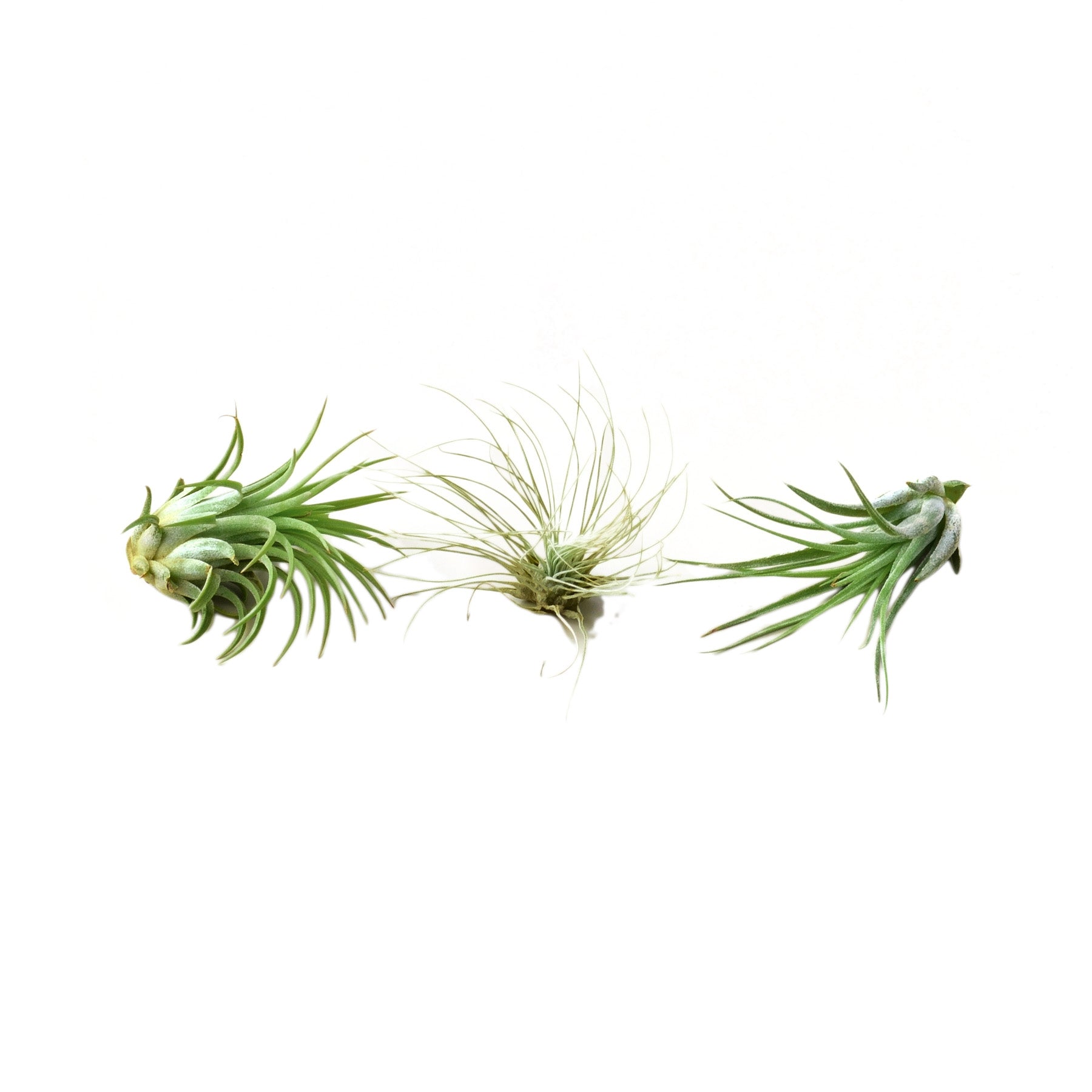
air plant breeds Buy Air Plant 3 Pack - Three Air Plant VarietiesReceive 3 Tillandsias. One each of the following: Tillandsia Ionantha Tillandsia Fuchsii Tillandsia Kolby All the of these Air Plant species are easy to cultivate and very versatile. Air Plants are: Natural Air Purifiers Fun, quirky, and cool Plants that don't require soil Easy care; Light water with light exposure *Plants range from 2 3 inches big. Air Plant Care Air Plants, also known as Tillandsia's, are beautiful little Plants that are very easy
Receive 3 Tillandsias. One each of the following:- Tillandsia Ionantha
- Tillandsia Fuchsii
- Tillandsia Kolby
All the of these Air Plant species are easy to cultivate and very versatile.
Air Plants are:
- Natural Air Purifiers
- Fun, quirky, and cool Plants that don't require soil
- Easy care; Light water with light exposure
*Plants range from 2 - 3 inches big.
--
Air Plant Care
Air Plants, also known as Tillandsia's, are beautiful little Plants that are very easy to grow. With the flexibility to use the Air Plant without soil and minimal water, the Air Plant is an easy choice for an easy-to-maintain Terrarium. If taken care of, Air Plants will live for several years. Please see the below care instructions for taking care of your Air Plant to ensure years of enjoyment.
WATER
-Most Air Plants will be their healthiest with a weekly watering. Air Plants will become dry while in the terrarium and will need to be sprayed with water 2-3 times a week. More often in a hot, dry environment and less often in a cool, humid one.
-If you see the Plants drying out, submerge the Air Plant in a bowl of water upside down for up to an hour. Repeat weekly if necessary. Adjust watering in different climates.
-Air Plants can never have too much water. They benefit from overnight soaks in water and will not be harmed from over watering. Please make sure to dry the plant completely after the watering as the Air Plants can die from having water sitting in the center of the plant or at the base.
AIR
-Air is an important component to the health of an Air Plant. All Air Plants live off the air and will be healthier in a terrarium that is not enclosed. Place your Air Plant at a distance from your heater or to avoid drying out the plant.
-After watering, Air Plants should be given enough light and air circulation to dry in four hours or less. Do not keep the plant constantly wet or moist.
LIGHT
-Light is an important variable when it comes to keeping your Air Plant healthy. We recommend placing your Air Plant near a window with some sun light. Make sure the plant doesn't get to much direct sun though! Too much sun will be harmful to the Air Plant. Artificial light is also a great source of light for Air Plants if you do not have windows.
TEMPERATURE
-Keep your Air Plant in warm conditions. They thrive in a temperature range of 50-90 degrees.
BLOOMING
-It's normal for Air Plants to grow new leaves. Groom your Air Plant by removing dead or dried leaves. If the tips have dried out, you can cut the dried area off. Keep your Air Plant looking fresh with a monthly grooming.
GROOMING
-Some types of Air Plants have a blooming once in their life and will live for many years with the appropriate care. Look for a reddish tint when the air plant starts blooming.
Shipping Notes
- Free Standard Shipping on $100+ Orders to the USA.
- Except Preorder products are shipped in 48 hours.
- Delivery to the USA:
- Standard Shipping : 3-10 business days
- If time is of the essence, please consider selecting expedited delivery for faster service.
Exchange/Return Notes
- We offer a 30-day return/exchange service after receiving.
- Final sale items are not eligible for returns or exchanges.
- To process your return/exchange, please contact us at [email protected]
- Please click here for more details>>> Return & Exchange Policy
4.1 ★★★★★
Based on 5 reviews
Sort
Product Reviews
★★★★★ 4
Baby bumps and bodyguards
Format: Kindle
Dark, emotional, and unexpectedly tender, Not Ready is an omegaverse romance that delivers found family feels, fierce protectiveness, and a very pregnant heroine who refuses to break. Vale’s on the run from a stalker, but lands in the arms of three private security alphas, cue the swoony tension, fake marriage twist, and slow-burn heat.
It’s a little gritty, a little soft, and a whole lot addictive. If you love protective alphas, high stakes, and heroines with quiet strength, this one’s a must-read.
WAS THIS REVIEW HELPFUL?YesReportShare
Reviewed in the United States on December 18, 2025
★★★★★ 5
Strong Omegaverse Comfort and a Attention Grabbing Plot
Format: Kindle
Jillian West never misses when it comes to Omegaverse, and Not Ready is no exception. This story was the perfect blend of cozy comfort and emotional depth while still delivering a strong plot.
Vale is such a powerful heroine, she is strong, capable, and determined but I love that she still allows her pack to love and take care of her. It’s that balance of independence and vulnerability that makes her so relatable.
The relationship dynamics were amazing: Bishop is steadfast and completely head over heels, Mercy is skeptical but protective in his own way, and Holt is the hesitant one whose slow fall is so satisfying to watch unfold.
The romance hits that sweet spot between insta-love and cautious build, keeping me hooked the entire way through. And that ending. Oh my god, the cliffhanger! I need the next book in this duet immediately.
WAS THIS REVIEW HELPFUL?YesReportShare
Reviewed in the United States on August 28, 2025
★★★★★ 5
Interesting
Format: Kindle
So I will say I enjoyed the story, for sure had its moments where it dragged but it was a great story. I really liked that omegas picked their alphas/make the pack. Normally the Alphas make it and the omega fits in with them which is great but I enjoyed this new version where all the power basically went to the omega. It was a nice change of pace. I can admit some of the weird bedroom stuff with her being pregnant was odd, it’s really not hard to do stuff when pregnant (I know I’ve had two and it’s normal and even encouraged at the end especially if you want the baby out). But I like the story as a whole and will read the second, I do hope the next one isn’t dragged bc it stopped being action or tense after she met her alphas and I don’t think it was brought up or properly done when they tried to do it. More sweet after she left.
WAS THIS REVIEW HELPFUL?YesReportShare
Reviewed in the United States on November 11, 2024
★★★★★ 3
I’m a little disappointed.
Format: Kindle
I usually like Jillian West’s books but this one was missing a lot for me. The pregnancy didn’t come across as real. She’s on her feet for 12 hour days but is perfectly healthy at 8 months pregnant? Yet the week she moves in all of a sudden she’s not? She is planning on actually running during one of the plot buildups. But at 8 months pregnant that’s incredibly hard to do. The lack of breathing ability and lung space, the change in body center, mass, and gravity. All of it prohibits running, unless you’re an athlete this didn’t come off as at all realistic.
I didn’t feel any connection with the alphas. There wasn’t any emotional connection. It could be because of the tense it was written in. But I didn’t get any deep feelings out of this. It came across as checking off boxes. Even the spicy scenes weren’t really believable for me. I wanted to see them fall for her, and it just kind of all fizzled. Even Bishop.
One thing I did really like was the ending. I did not see it coming and I’m interested in reading book two because of it. But on the whole this book was mostly disappointing for me.
WAS THIS REVIEW HELPFUL?YesReportShare
Reviewed in the United States on March 16, 2024
★★★★★ 4
4.25 stars
Format: Kindle
Vale is an 8 month pregnant omega working as a waitress at a strip club and a cam girl. She starts to get very creepy vibes from a regular at the club, and her baby daddy ghosted her. She has had an online relationship with a man named Bishop through her cam girl status. One night, bishop was paying to watch her sleep and ansthe creepy regular Andrew break in and watch her sleep he tells vale to come to him at his business now. She flees and finds herself at a large security company with some.hot of alphas who are there to help her. This imegaverse is a little different than I have read, but I am thoroughly enjoying it. Vale is not a traditional omega she was raised by a single beta mom, and the alphas are not normal alphas they have never really loved pack life. But they are ruthless mercenaries. They need her, and she needs them. I love the aspect of the stalker and now the plot twists at the end, so so good. Sometimes, it seemed a little slow and stale mated, but since this a duet, I think It was just her starting to have Vale get to know her alpha suitors. Cliffhanger for sure with this one.
WAS THIS REVIEW HELPFUL?YesReportShare
Reviewed in the United States on September 9, 2024
recommand products
The Adventure Bundle: Anthem Deluxe All-Terrain Stroller Wagon Anthem2 in Graphite
23.10
Keenz VIVA 2-Passenger Stroller Wagon Compact Power for City Life
28.36
Gladly Family Anthem2 All-Terrain (2 Seater) Stroller Wagon Adventure – Albee Baby
23.91
W4 Elite Pro Stroller Wagon (4 Seater)
22.96
Anthem2 Deluxe Plus 5-Point Stroller Wagon in Graphite
25.93