Pay in installments of $7.04 with
 ,
,
 and
and

Shipping Estimate
USA
- USA
- CAN
- USA
- CAN
Ships within 48 hours · Estimated delivery Oct 27 - Nov 1
 Promo Codes Available:
For Your Every Summer RSVP, with Code: SUMMER15
Description
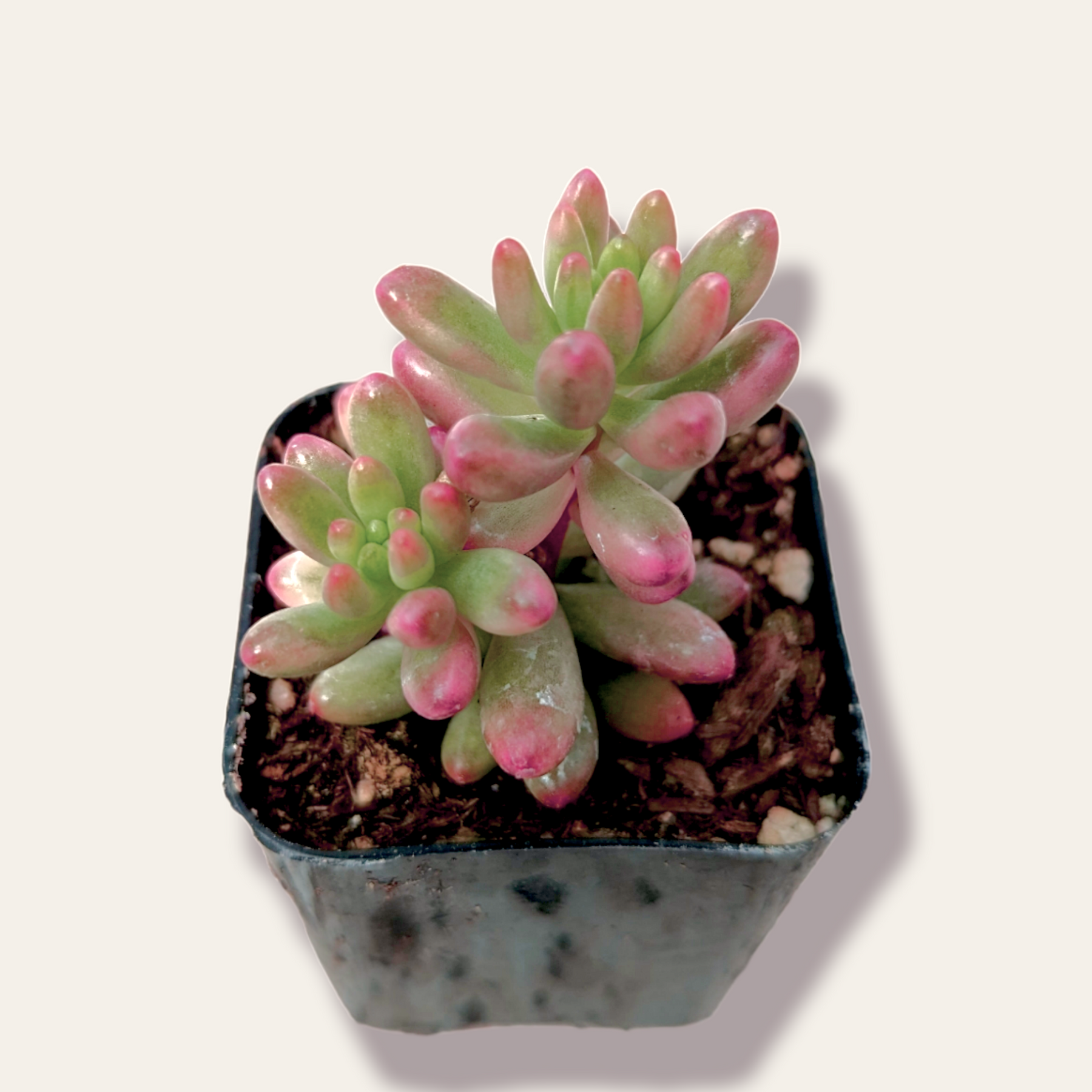
pink jelly bean succulent care Sedum rubrotinctum 'Aurora' Pink Jelly Bean 2 Inch #BPink Jelly Bean is a succulent plant of the genus Sedum in the Crassulaceae family. Its origin is in Mexico. The morphological characteristics of the plant are perennial succulent, erect, clumping plants. The original growing environment was warm, dry and full sun. The leaves are a beautiful pink color. Plant in a well ventilated, sunny location. Pink Jelly Bean plants are rare and they look great if you plant them together. Because it is an upward
Pink Jelly Bean is a succulent plant of the genus Sedum in the Crassulaceae family. Its origin is in Mexico. The morphological characteristics of the plant are perennial succulent, erect, clumping plants. The original growing environment was warm, dry and full sun.
The leaves are a beautiful pink color. Plant in a well-ventilated, sunny location. Pink Jelly Bean plants are rare and they look great if you plant them together. Because it is an upward growing plant, it can easily develop a blooming gesture, which is one of the joys of growing it. The leaves are closely arranged in a rosette-like form, fleshy, whorled, oblong, arranged in an extended rosette with a rounded apex, lavender fleshy, 0.8-1.6 inches long, with a smooth, bluntly rounded apex and a smooth, red leaf surface.
The plant and leaves of Pink Jelly Bean are peculiarly shaped. The beautiful leaf color, easy to maintain the posture, the whole plant is like a beautiful craft and elegant color.
Care Tips
Light: Like a sunny environment, growth should be full of sunshine. It should be placed in a sunny place, and in summer it needs to be shaded properly so that the plant will not be exposed to the sun and the leaves will become watery. Summer temperature is too high when 95°F (35℃) is easy to sunburn, but appropriate shade half insolation, to avoid direct light at noon. If the environment is shady, the plant will not be able to photosynthesize and may have excessive growth of branches.
Water: Pink Jelly Bean grows slowly and is very drought tolerant, so it does not need to be watered often, too much water can easily lead to root rot. It should be watered properly during the week, usually after the soil has dried out, so that the water is not excessive. Also, watering should be reduced in summer and winter because it is in a dormant state.
Soil: The soil for Pink Jelly Bean must also be well ventilated and well drained. A well-drained soil will prevent the roots from rotting due to water logging, and in serious cases, the roots will not survive due to root rot.
Potting: It is recommended to use ceramic pots, ceramic pots have a certain degree of permeability, clay pots lose water too fast, plastic pots retain water too strong, and poor permeability.
Temperature: It grows faster in the mild spring and fall, and the best temperature for growth is about 64 -87°F (18 - 26°C). The temperature is too high or too low for its development. The temperature should be controlled between 50-82°F (10-28°C). In winter, it is colder, so it is important to keep it warm and make sure the room temperature is not lower than 41°F (5°C). If the temperature is too low, it will get frostbite.
Humidity: Pink Jelly Bean grows well in average household humidity levels when grown indoors. Does not like too much humidity. Normal household humidity is good for this plant.
Shipping & Handling
- The 2 Inch Pink Jelly Bean plants are shipped with the pot and soil
- The 4 Inch and larger plants are shipped bare roots without the pot and soil:
- We commit to shipping bare roots, which requires more time and labor, and provide excellent quality and service to our customers - see Benefits of Shipping Bare Roots
- You will receive a very similar plant to the one shown in the photos; shape and color may vary
- Ship within USA & its outlying territories only
- Please visit Order Processing & Shipping info page for additional details
Care Instructions
Please visit our Succulent Care info page for more details.
To ensure the health of succulents, it is important to plant them in porous, well-draining soil. Succulents require little watering, but don't like to sit in wet soil. To create an adequate cactus mix, simply add pumice, perlite, or grit to cactus soil to provide the proper drainage.
Make sure to leave drought periods between waterings to prevent the plant from water-logging.
Weather Conditions
- When ordering, be mindful that living succulents can be damaged by the cold weather.
- If you live in an area that is below 40 degrees Fahrenheit, please add a shipping warmer to your order or consider purchasing plant until the weather is more suitable.
- Shipping Warmer: 72+ Hours Heat Packs available for $1.7 each
Shipping Notes
- Free Standard Shipping on $100+ Orders to the USA.
- Except Preorder products are shipped in 48 hours.
- Delivery to the USA:
- Standard Shipping : 3-10 business days
- If time is of the essence, please consider selecting expedited delivery for faster service.
Exchange/Return Notes
- We offer a 30-day return/exchange service after receiving.
- Final sale items are not eligible for returns or exchanges.
- To process your return/exchange, please contact us at [email protected]
- Please click here for more details>>> Return & Exchange Policy